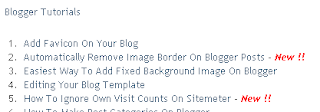
Table of contents for blogger is a widget made by
Abu Fathan. Table of contents widget or archive widget will display all posts categorized by their labels. The widget will also show your previous 10 posts as "New!". A live demo can be found on my
archive.
To add this widget on your blog using normal post,
Aside from Subscribe to Posts (Atom), there is also another one called
Subscribe to Post Comments (Atom) that is present below the comment box on every posts of your blog. To remove it, follow these steps:
1. Go to
Layout ~
Edit HTML
Default blogger templates and some other custom blogger templates has a
Subscribe to: Posts (Atom) at the footer. To remove it, just follow these steps:
1. Go to
Layout ~
Edit HTML and check
Expand Widget Templates
For all
final fantasy fans out there,
gamespot has recently released a video on their Import Friendly show that previews
Final Fantasy XIII's gameplay. The version currently is on japanese and the english version is said to be released on March 9, 2010. And it can only be played on PS3 and Xbox360.
Here's the video:
There's currently a bug in
winamp where if your computer was turned off without shutting down while your winamp client is open, the music library becomes corrupted and lost all songs.
On my previous article about
adding facebook share button on blogger, it features just how to add a simple share button style. In this article, I will explain how to add an elegant looking facebook share button to blogger courtesy of
fbshare.me
Here's what the new facebook share button looks like:
Blogger features an image uploading service for blog posts where it provides an unlimited bandwidth. But have you ever wondered where are those images go after it has been uploaded? The images doesn't go somewhere, in fact it goes to
Picasa Web Album.